
Download PDFTK Builder – PDF merger, PDF editor, PDF tool, PDF utility, PDF security, PDF watermark, PDF rotation, PDF page extraction
Overview
PDFTK Builder is a compact utility tool designed to enhance the management and manipulation of PDF (Portable Document Format) files. Built for users who require precise control over their documents, the app provides essential functions such as merging, securing, extracting, and modifying PDFs with minimal overhead. Its primary purpose is to simplify complex document workflows by offering a suite of targeted tools within a single interface. The application is especially useful for professionals, students, and content creators who frequently handle multi-page documents and need to customize them efficiently.
By enabling users to combine multiple PDFs into one, restrict editing and printing permissions, extract individual pages, apply watermarks, and rotate specific pages, PDFTK Builder addresses common pain points in document handling. It supports real-world use cases such as compiling reports from separate sections, protecting sensitive information, preparing materials for presentation, and asserting copyright through branding. The tool is particularly valuable in environments where document integrity and privacy are critical.
Developed by PDFTK, the app operates without requiring an internet connection, ensuring privacy and reliability. Although the developer did not provide additional technical details about the development background, the tool’s consistent functionality and lightweight design suggest a focus on efficiency and usability. Its presence in the productivity category highlights its role as a reliable utility within the broader mobile and desktop ecosystem.
Key Features & Functionality
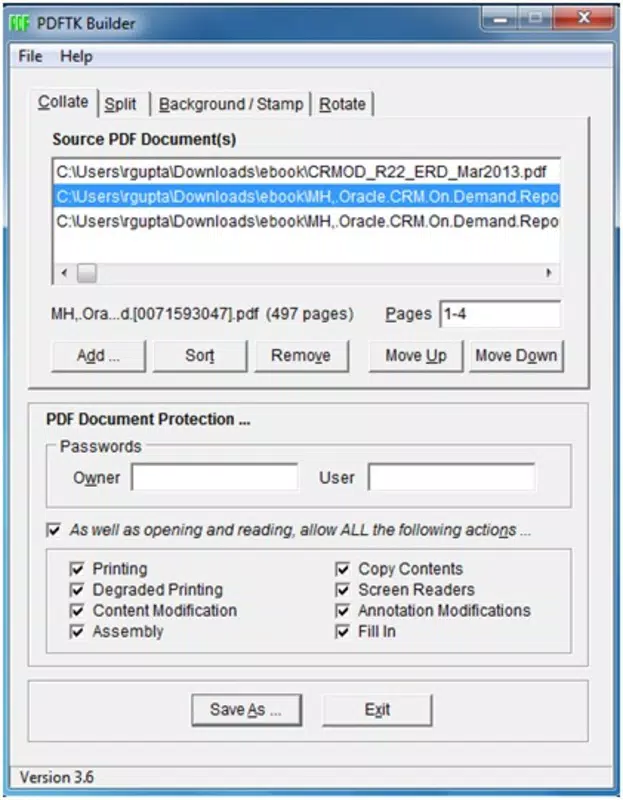
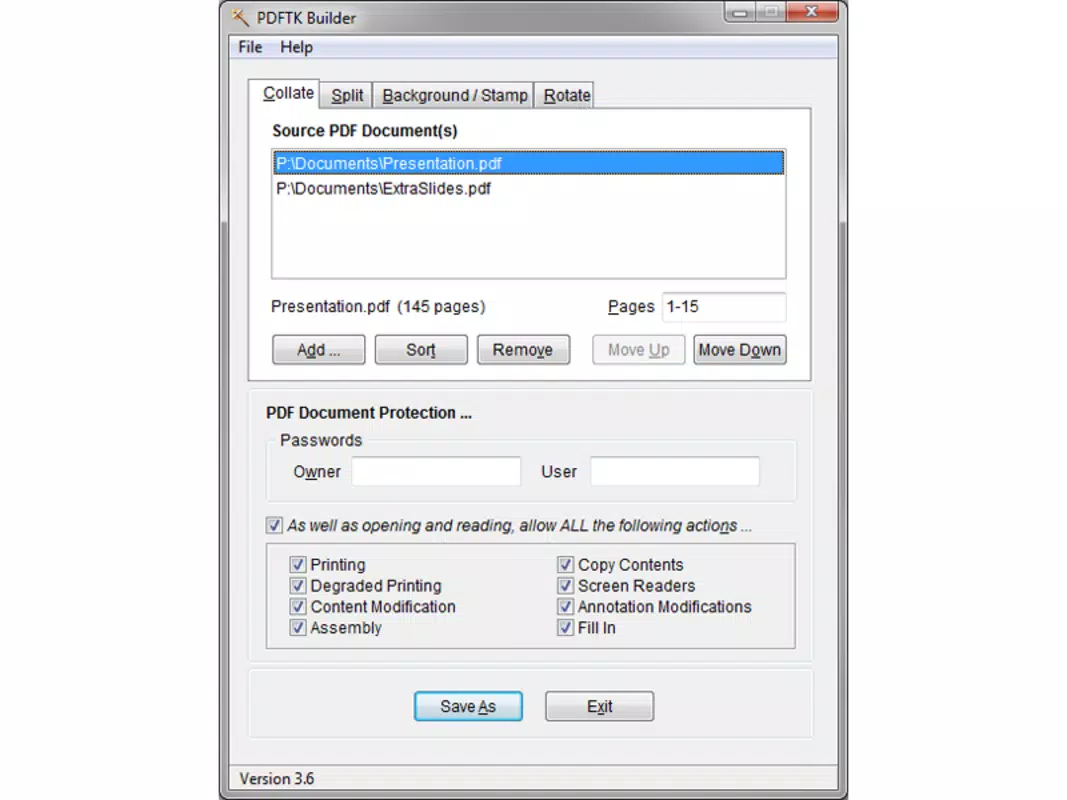
- PDF Fusion – Combine multiple PDF files into a single document, with the ability to specify exact page ranges from each file. This allows for precise control over content assembly, ideal for compiling reports or presentations from various sources.
- Access Control & Security – Apply password protection and restrict permissions such as copying, printing, and editing. This ensures sensitive documents remain secure and accessible only to authorized users.
- Individual Page Export – Extract any single page or range of pages from a PDF and save them as separate files. This feature streamlines workflows when only specific sections of a large document are needed.
- PDF Watermark Integration – Add watermarks using another PDF file, enabling copyright claims or branding. This is especially useful for publishers, educators, and content creators.
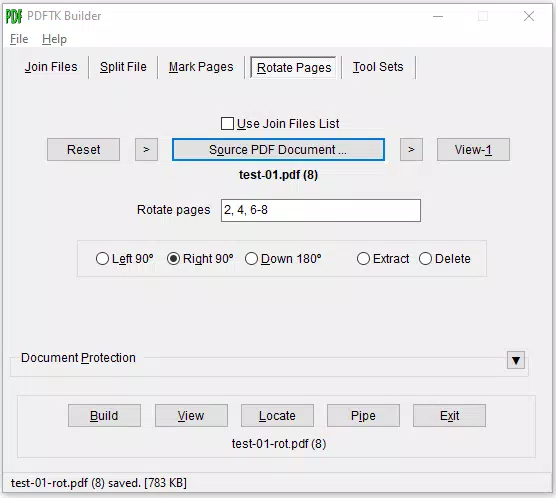
- Page Orientation Control – Rotate selected pages in either clockwise or counterclockwise directions, improving document readability and layout consistency.
Each feature is designed to serve practical needs. For example, a researcher might use page extraction to isolate references from a lengthy paper, while a business professional could apply watermarks to draft contracts. The ability to merge files with custom page ranges prevents the inclusion of unnecessary content, enhancing workflow accuracy and reducing file size.
Interface, UX & Performance
The interface of PDFTK Builder is straightforward and focused on functionality, reflecting its utility-driven design. The layout prioritizes accessibility, placing core tools within easy reach of the user. Navigation is intuitive, allowing users to move between tasks such as merging, securing, or extracting pages without confusion. Visual feedback is minimal but effective, ensuring clarity during operations.
Although the developer did not list formal performance metrics, the app’s file size of 4.1 MB suggests a lightweight footprint, which typically correlates with fast loading times and low system resource usage. It is expected to perform efficiently on a range of Windows devices, including older systems. Responsiveness appears consistent across tasks, with operations like merging and rotating pages completing without noticeable lag.
Stability is a key strength, particularly for a tool handling document integrity. Users can expect reliable execution of tasks without crashes or data corruption. While no specific information was provided about compatibility with different screen sizes or hardware configurations, the app’s minimal design implies broad adaptability across standard desktop environments.
Platform Compatibility & Technical Requirements
PDFTK Builder is available exclusively for the Windows platform. The current version is 1.0.1, with a file size of 4.1 MB. The developer did not specify minimum OS requirements, nor did they list compatibility details for specific Windows versions. As such, users should verify system compatibility before installation.
Given the app’s lightweight nature and lack of dependency on external services, it is likely compatible with most modern Windows systems. However, the absence of detailed technical specifications means users should exercise caution on older or non-standard configurations. No additional software or runtime environments are required, simplifying the installation process.
Pros and Cons
- Free to download and use with no hidden costs
- Lightweight at only 4.1 MB, ensuring fast installation and minimal storage use
- Offers advanced PDF manipulation tools without requiring a subscription
- Works offline, preserving data privacy and security
- Supports granular control over page selection and document permissions
- Platform availability is limited to Windows only
- No official mobile or macOS version currently available
- Interface is functional but lacks modern visual polish
- Developer did not provide detailed system requirements or update frequency
- Advanced features may require some learning for first-time users
FAQ
Is PDFTK Builder safe to download and install?
Yes, the app is free and distributed without known malware. As a lightweight utility, it does not require elevated permissions or internet access, reducing security risks.
Can I use PDFTK Builder on mobile devices?
Currently, PDFTK Builder is only available for Windows. There is no official version for Android or iOS devices.
Does PDFTK Builder require an internet connection?
No, the tool operates entirely offline. All functions are executed locally, ensuring privacy and reliability without network dependency.
How do I update PDFTK Builder?
Updates are managed by the developer. Since no specific update schedule was provided, users should check the official source regularly for new releases.
Is PDFTK Builder suitable for beginners?
While the tool is functional and intuitive, some features like page range selection and permission settings may require basic familiarity with PDF workflows. However, the straightforward interface makes it accessible to new users with minimal training.
Final Thoughts
PDFTK Builder stands out as a powerful, no-cost solution for users needing precise control over their PDF documents. Its combination of merging, security, extraction, watermarking, and rotation tools makes it a versatile utility for both personal and professional use. Despite its limited platform availability and basic interface, its efficiency, reliability, and offline operation deliver strong value.
Professionals handling contracts, researchers managing academic papers, and educators preparing materials will benefit most from its advanced features. For anyone seeking a secure, free, and effective PDF tool, PDFTK Builder offers a compelling option.
Download PDFTK Builder now


